
(7)Burp Suite(Windows)
上一节
下一节
Burp Suite Pro v1.7.32(Windows)

1.运行burp-loader-keygen.jar,点Run
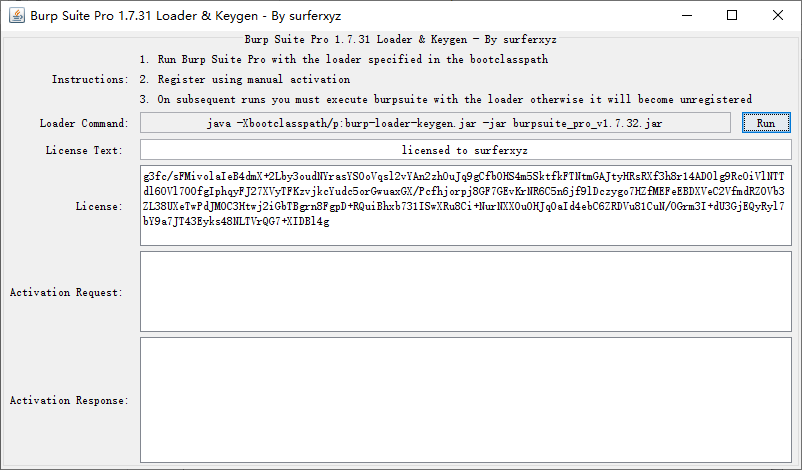
2.自动启动burpsuite_pro_v1.7.32.jar
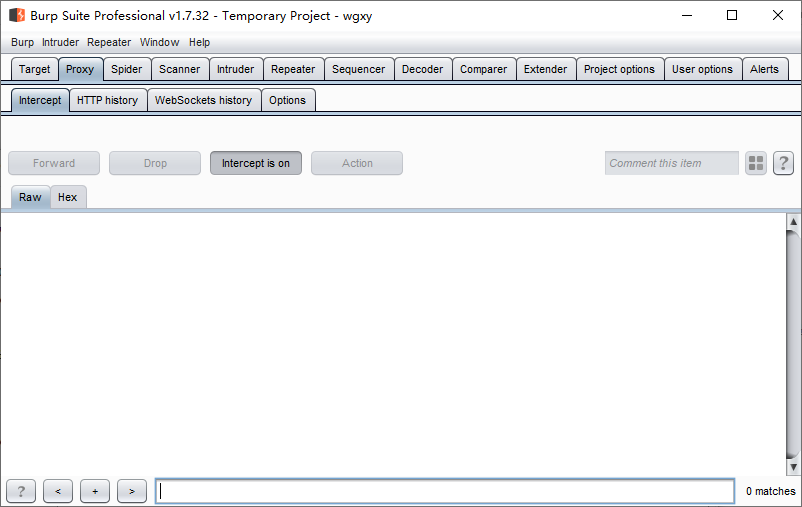
Proxy→Intercept→Intercept is on
放行:Forward,允许包通过
Send to Repeater
Windows环境下的浏览器,设置代理服务器
1.Google Chrome(版本 79.0.3945.88(正式版本)(64 位))设置代理服务器
设置→高级
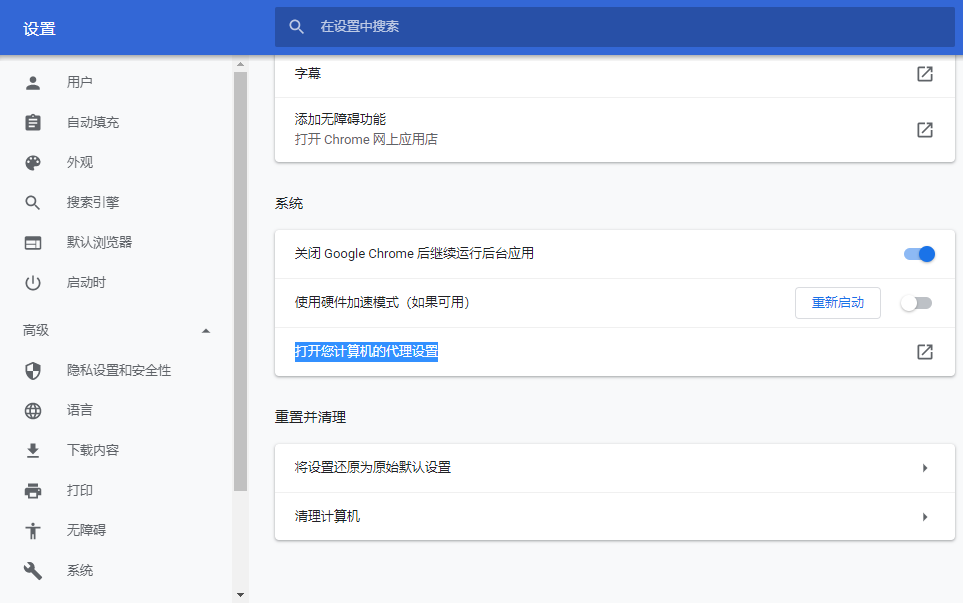
→打开您计算机的代理设置
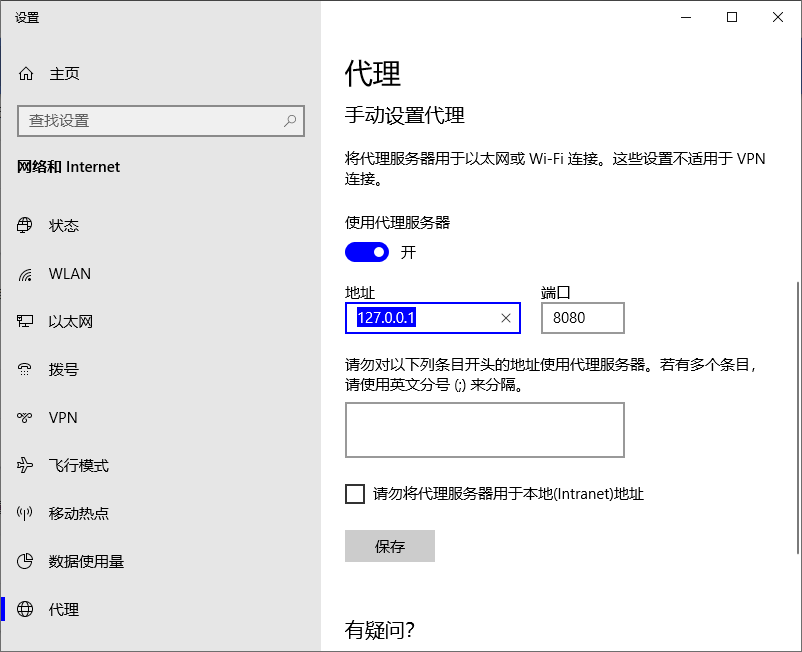
使用代理服务器:开
地址:127.0.0.1 端口:8080
保存
2.Mozilla Firefox(71.0(32位))(Firefox 60.0 ESR)设置代理服务器
选项(Preferences)→常规(General)
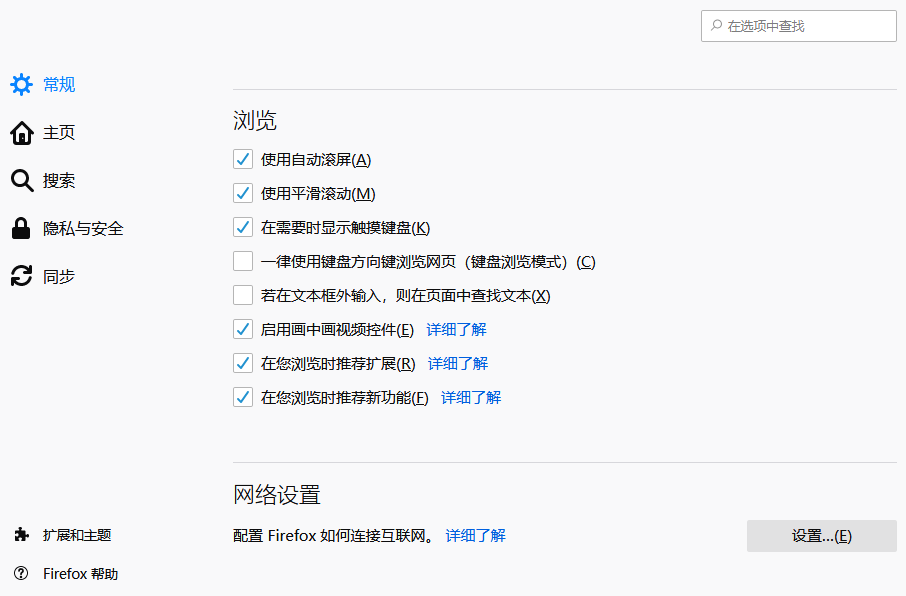
网络设置(Netowrk Proxy)
设置(Settings)
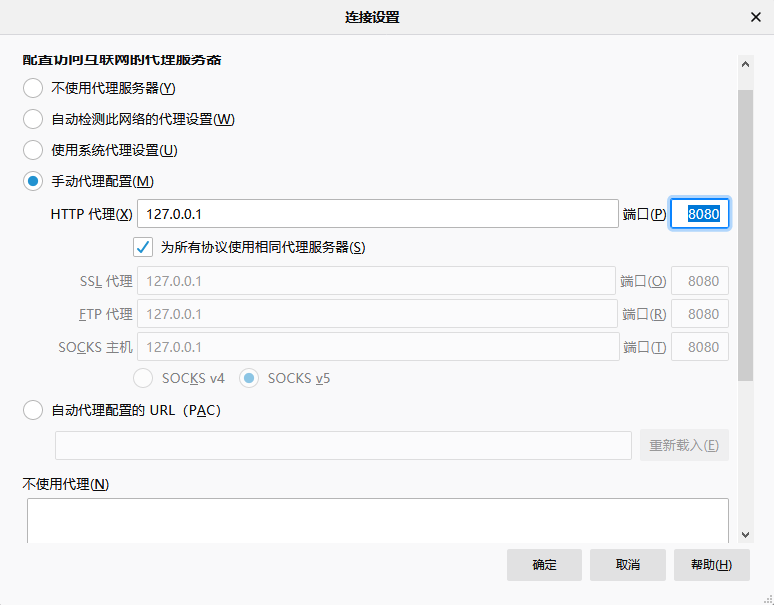
手动代理配置(Manual proxy configuration)
HTTP代理(HTTP Proxy):127.0.0.1 端口(Port):8080
为所有协议使用相同代理服务器(Use this proxy server for all protocols)
确定

