
请同学们先浏览PPT,这是一个任务点哈!完成后有惊喜哟!
任务实施:使用JSP内置对象实现登录和注销功能
login.jsp 、login_action.jsp处理登录页面、user.jsp、user.css、out.jsp退出登录页面共五个文件。
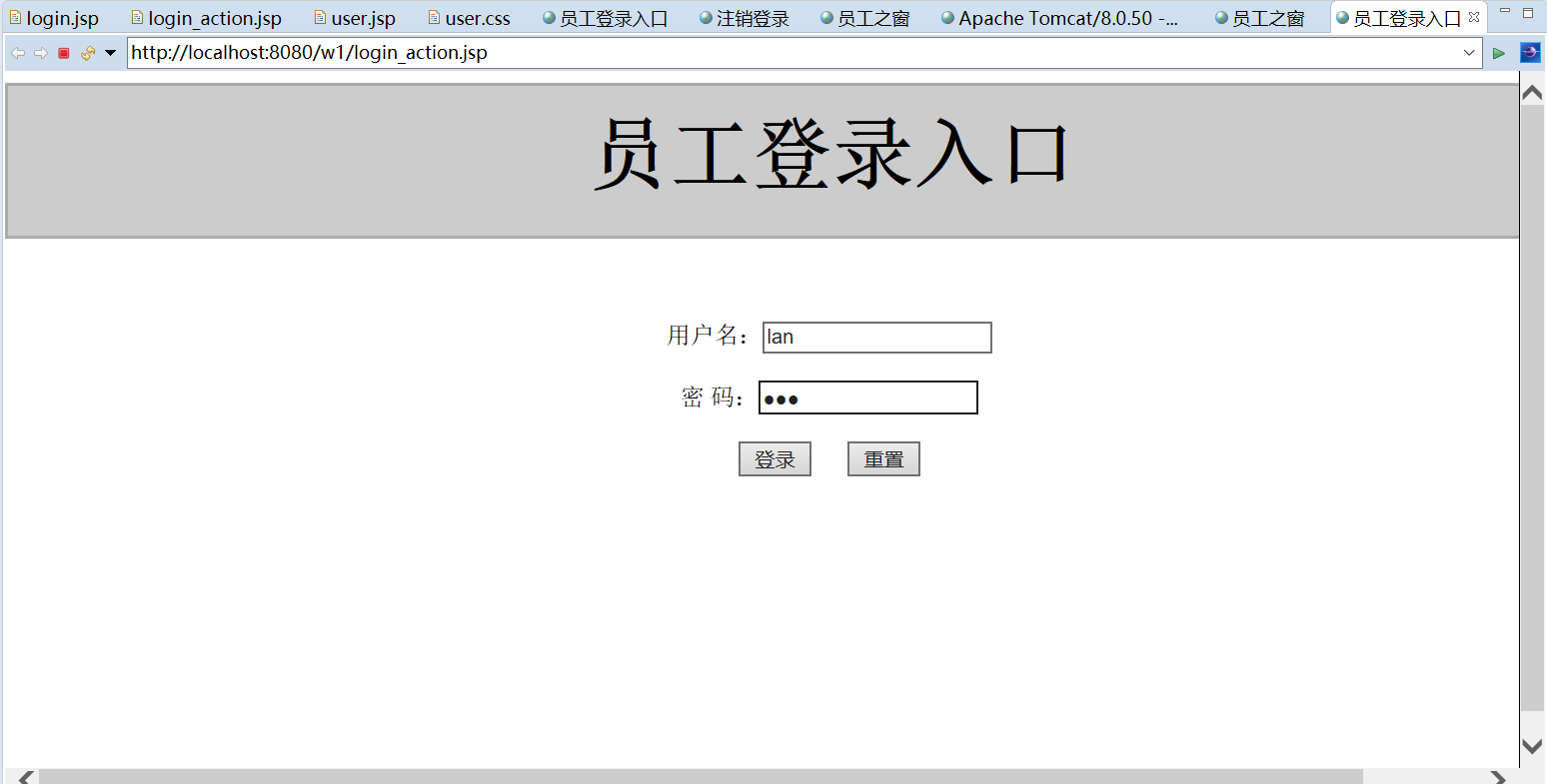
login.jsp
<%@ page language="java" import="java.util.*" pageEncoding="UTF-8"%>
<!DOCTYPE HTML PUBLIC "-//W3C//DTD HTML 4.01 Transitional//EN">
<html>
<head>
<title>员工登录入口</title>
<meta http-equiv="pragma" content="no-cache">
<meta http-equiv="cache-control" content="no-cache">
<meta http-equiv="expires" content="0">
<meta http-equiv="keywords" content="keyword1,keyword2,keyword3">
<meta http-equiv="description" content="This is my page">
<!--
<link rel="stylesheet" type="text/css" href="styles.css">
-->
<style type="text/css">
body{
width: 1100px;
text-align: center;
margin-left: auto;
margin-right: auto;
}
.div_01{
background-color: #cccccc;
border: 2px solid #aaaaaa;
width: 1100px;
height: 100px;
font-size: 20pt;
line-height: 100%;
}
</style>
</head>
<body>
<div class="div_01">
<h1>员工登录入口</h1>
</div>
<div class="div_02">
<form action="${pageContext.request.contextPath}/LoginServlet3" method="post">
<br/><br/><br/>
用户名:<input type="text" name="userName"><br/><br/>
密 码:<input type="password" name="userPwd"><br/><br/>
<input type="submit" value="登录">
<input type="reset" value="重置"><br>
</form>
</div>
</body>
</html>
login_action.jsp处理登录界面。
<%@ page contentType="text/html;charset=UTF-8" %>
<html>
<head><title>登录处理</title></head>
<body>
处理页面
<%
String userName = request.getParameter("userName");
String userPwd = request.getParameter("userPwd");
if(userName==null||userPwd==null){
//request.setAttribute("message", "用户名或密码为空");
pageContext.forward("login.jsp");
}else if(userName.equals("lan") && userPwd.equals("123")){
session.setAttribute("userName", userName);
session.setAttribute("userPwd", userPwd);
pageContext.forward("user2.jsp");
//response.sendRedirect(request.getContextPath()+"/jsp/user2.jsp");
}else{
//request.setAttribute("message", "用户名或密码错误");
pageContext.forward("login.jsp");
}
%>
</body>
</html>
user.jsp
<%@ page language="java" import="java.util.*" pageEncoding="UTF-8"%>
<!DOCTYPE HTML PUBLIC "-//W3C//DTD HTML 4.01 Transitional//EN">
<html>
<head>
<title>员工之窗</title>
<meta http-equiv="pragma" content="no-cache">
<meta http-equiv="cache-control" content="no-cache">
<meta http-equiv="expires" content="0">
<meta http-equiv="keywords" content="keyword1,keyword2,keyword3">
<meta http-equiv="description" content="This is my page">
<link rel="stylesheet" type="text/css" href="${pageContext.request.contextPath }/css/user.css">
<link rel="stylesheet" type="text/css" href="<%=request.getContextPath()%>"+"/css/user.css">
</head>
<body>
<div class="div_01">
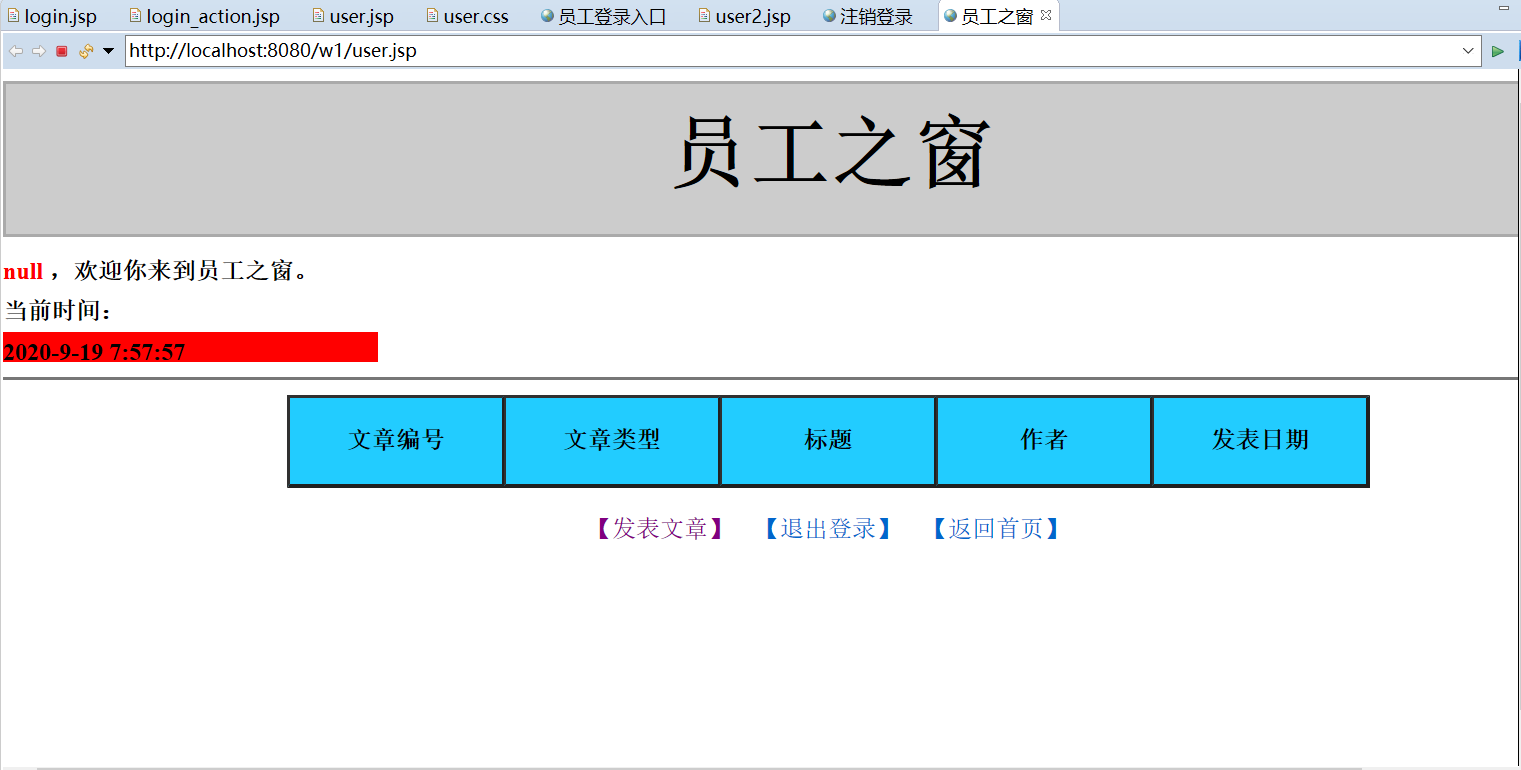
<h1>员工之窗</h1>
</div>
<div class="div_02">
<span class="span_01"> <%= session.getAttribute("userName")%> </span>,欢迎你来到员工之窗。
<br/>
当前时间:<div id="span_02" onclick="time()"></div>
</div>
<div class="div_03">
<table border="1" cellspacing="0" align="center">
<tr>
<th id="th_01">文章编号</th>
<th id="th_01">文章类型</th>
<th id="th_01">标题</th>
<th id="th_01">作者</th>
<th id="th_01">发表日期</th>
</tr>
</table><br/>
<a href="${pageContext.request.contextPath }/jsp/publish.jsp">【发表文章】</a>
<a href="${pageContext.request.contextPath }/jsp/out.jsp">【退出登录】</a>
<a href="${pageContext.request.contextPath }/index.jsp">【返回首页】</a>
</div>
<script type="text/javascript">
function time2(){
var date = new Date();
var time = (date.getFullYear()+"-"+(date.getMonth()+1)+"-"
+date.getDate()+" "+date.getHours()+":"+
date.getMinutes()+":"+date.getSeconds());
document.getElementById("span_02").innerHTML = time;
}
window.setInterval(time2(), 1000);
</script>
</body>
</html>
user.css
body{
width: 1100px;
text-align: center;
margin-left: auto;
margin-right: auto;
}
.div_01{
background-color: #cccccc;
border: 2px solid #aaaaaa;
width: 1100px;
height: 100px;
font-size: 20pt;
line-height: 100%;
}
.div_02{
text-align: left;
line-height: 20pt;
padding-top: 10px;
padding-bottom:10px;
font-weight: bold;
border-bottom: solid #777777 2px;
}
.div_03{
padding-top: 10px;
}
#th_01 {
background-color: #22ccff;
width: 140px;
height: 60px;
}
a {
font-family: 宋体;
text-align: left;
text-decoration: underline;
TEXT-DECORATION: none;
}
.td_01{
text-align: center;
}
.span_01{
color:red;
}
.td_02{
text-align: center;
}
#span_02{
width: 250px;
height: 20px;
background-color: red;
}
out.jsp
<%@ page language="java" import="java.util.*" pageEncoding="UTF-8"%>
<!DOCTYPE HTML PUBLIC "-//W3C//DTD HTML 4.01 Transitional//EN">
<html>
<head>
<title>注销登录</title>
<meta http-equiv="pragma" content="no-cache">
<meta http-equiv="cache-control" content="no-cache">
<meta http-equiv="expires" content="0">
<meta http-equiv="keywords" content="keyword1,keyword2,keyword3">
<meta http-equiv="description" content="This is my page">
<!--
<link rel="stylesheet" type="text/css" href="styles.css">
-->
</head>
<body>
<%
if(session.getAttribute("userName")!=null){
session.invalidate();
//out.print(1);
response.sendRedirect("../index.jsp");
}
%>
</body>
</html>

